
The WordPress LMS for skills-based training
Beacon LMS turns WordPress into a complete training academy: courses, quizzes, branching scenarios, skills video check-offs, certificates with wallet cards and employer groups, sold through WooCommerce and designed in Elementor.

Built for any business that trains people
Everything in one plugin
Most LMS plugins stop at videos and quizzes. Beacon LMS adds the tools skills-based programs need to teach, check and certify.
Build a whole course on one screen with sections, nine lesson types and autosave.
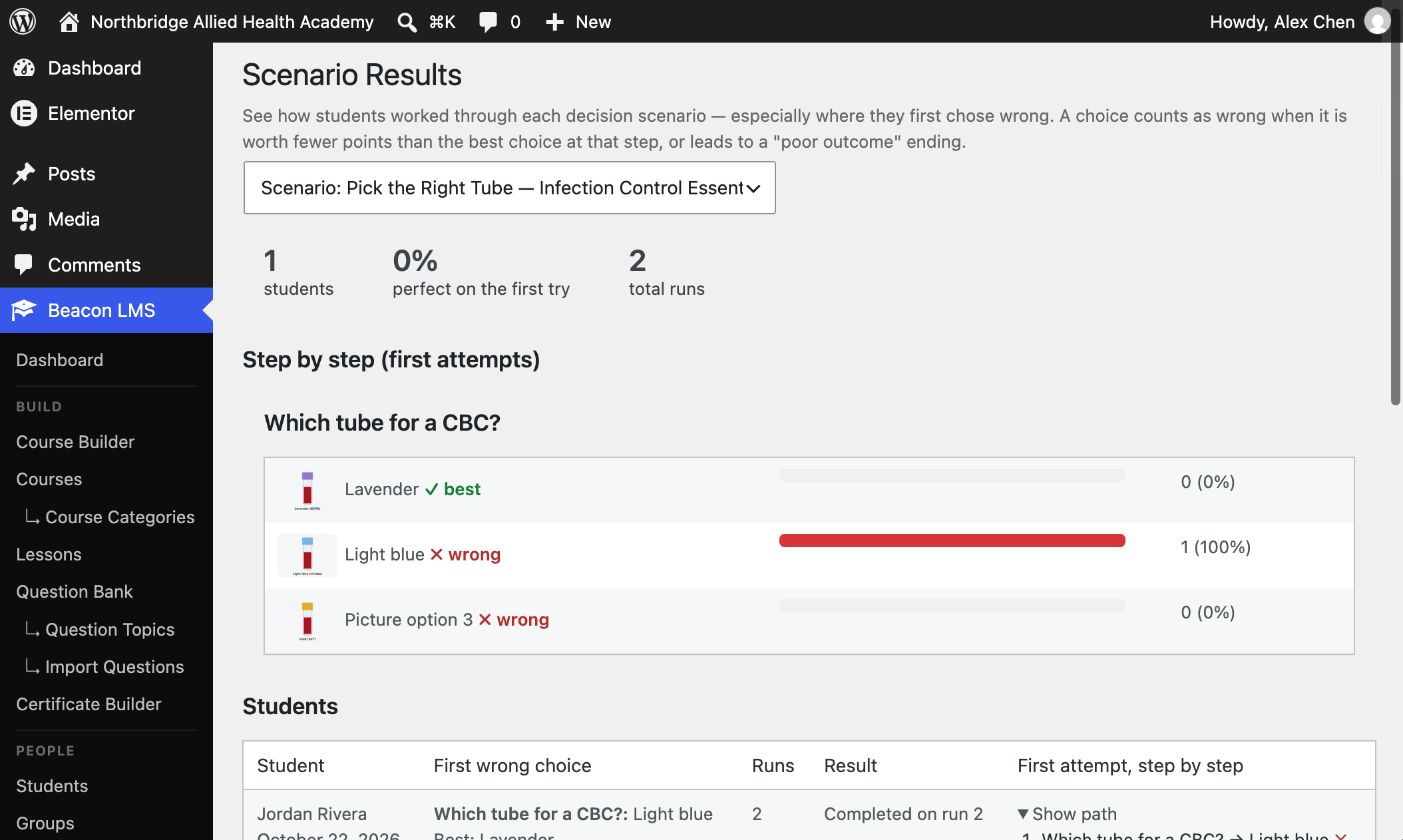
Branching cases with images and picture answers. See where each student first went wrong.
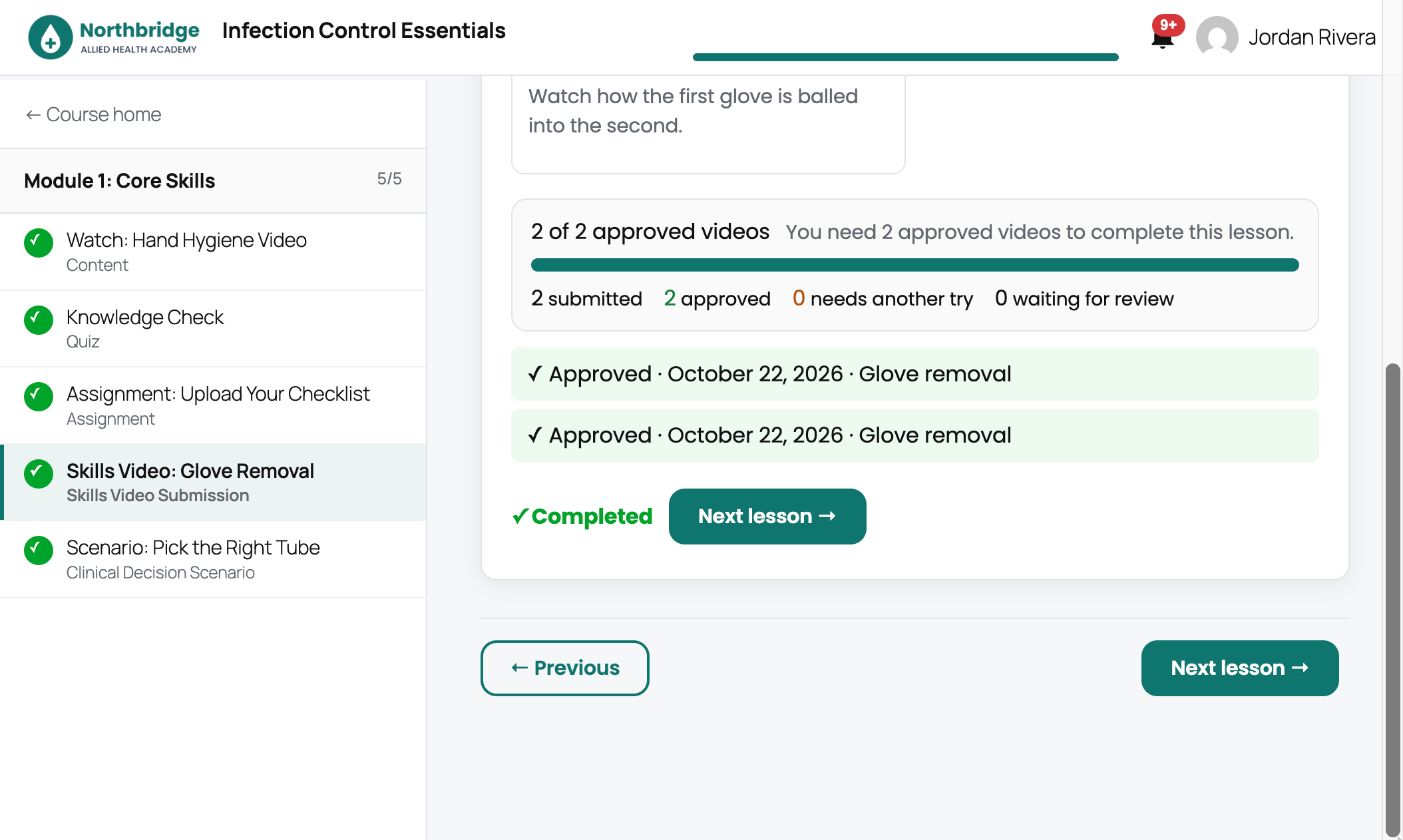
Students upload practice videos and you approve them until they reach the number you require.
Seven question types, timers, attempts, random draws and per-question statistics.
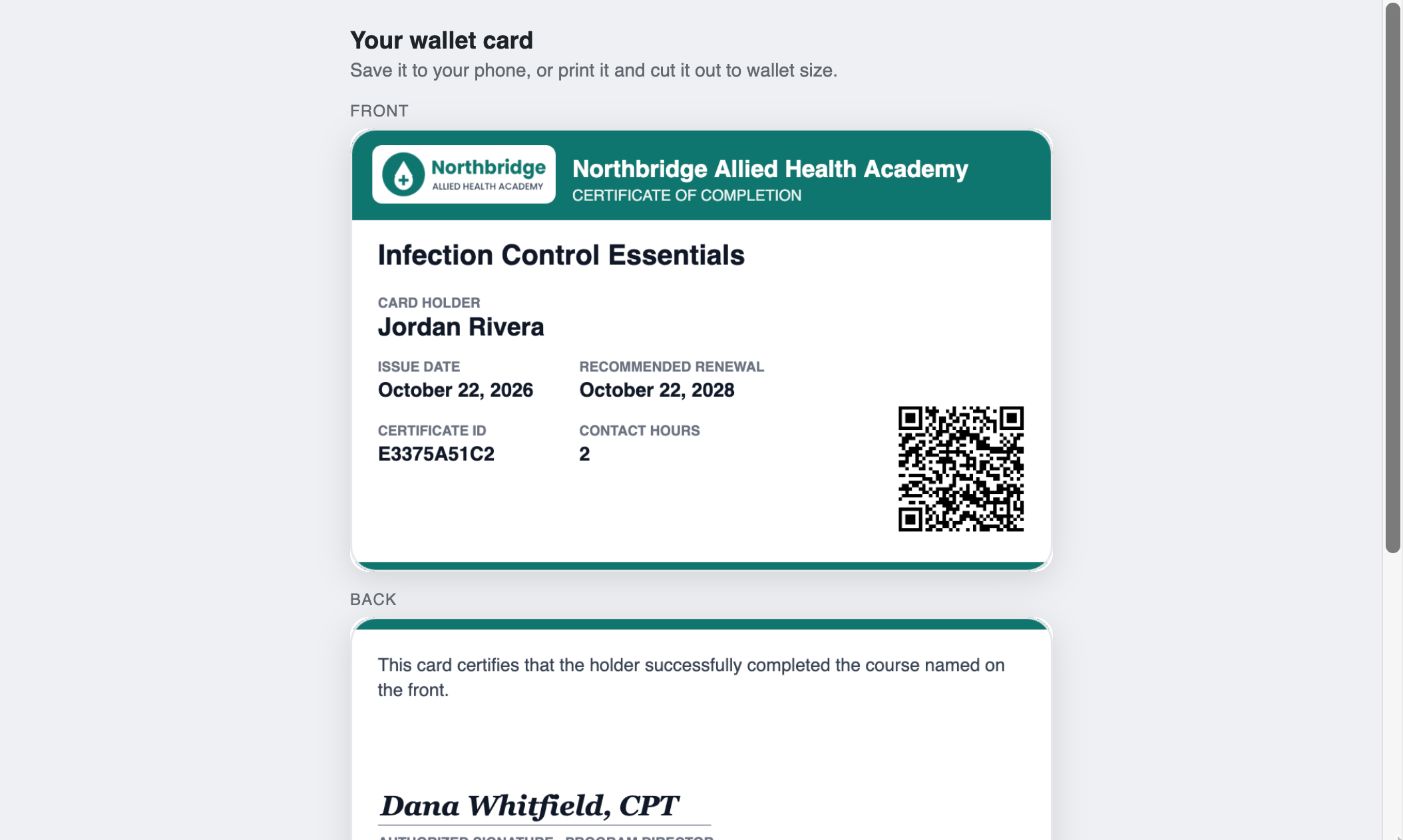
Drag-and-drop certificate designer, QR verification, expiry dates and a wallet card for phones.
Single courses, bundles, all-access memberships and employer seat packs.
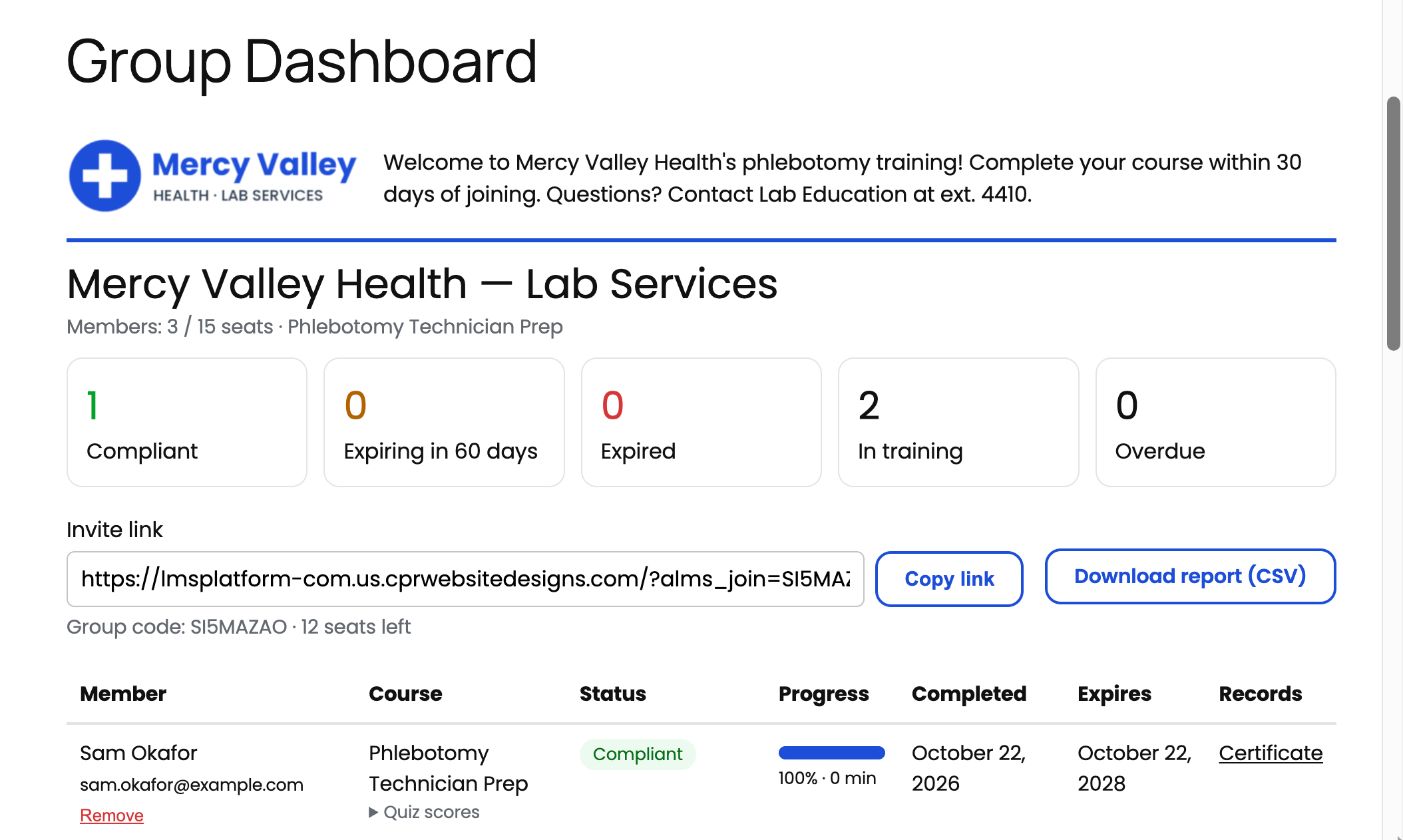
Branded dashboards for group leaders with compliance tracking, invites and CSV reports.
Every email in your colors, with editable templates and automatic reminders.
Course catalogs, buy boxes, dashboards and more, styled right inside Elementor.
Product tour
A quick look at the student, instructor and group leader experience, from building a course to issuing a certificate.
Want to click around yourself? The live demo is a complete academy built with Beacon LMS: a fictional phlebotomy school with a real course, an employer group and students part-way through.
Try it before you buy
Browse a finished academy as a visitor, or open your own private copy of the admin and build a course yourself. Both are free.
Explore Northbridge Allied Health Academy, a complete school built with Beacon LMS. Browse the course, sign up for the free sample course and finish it to earn a certificate and wallet card.
Get your own private copy of the academy, already logged in to the admin. Build a course, add quiz questions, review a skills video, check the gradebook and issue a transcript. Your copy is deleted automatically after 4 hours.
Decision scenarios
Build branching cases where every choice leads somewhere: add photos to any step and let students answer with pictures. Scenario Results shows each student’s first wrong turn, step by step.
Skills video check-offs
Students record a skill on their phone and upload it. You approve it or ask for another try, and the lesson completes once they reach the number of approved videos you set.
Certificates
Design certificates with a drag-and-drop builder. Each one gets a unique ID, a QR code and an optional expiry date, plus a wallet card students save to their phone.
Groups and employers
Sell seat packs to employers or create groups yourself. Group leaders get a branded dashboard to invite staff, track compliance and send reminders, without access to your WordPress admin.
Switching from LearnDash?
The built-in importer moves courses, lessons, topics, quizzes, groups, enrollments and completions from LearnDash. It only reads your LearnDash data, sends no emails while it runs and can be run again safely.
Pricing
No subscriptions and no renewals. Every plan includes every feature, lifetime updates and lifetime support.
Secure checkout · Your license key is shown right after purchase and emailed to you · All sales are final (terms)
Yes. Single Site is $199 and Unlimited Sites is $299, paid once. Both include lifetime updates and lifetime support, with no renewals or subscriptions.
A WordPress site (6.2 or newer, PHP 7.4 or newer). Add WooCommerce, which is free, if you want to sell courses. Elementor is optional; Beacon LMS includes widgets for it, and its pages also work with any theme.
Activate your license key under Beacon LMS → License. New versions then appear in your WordPress dashboard like any other plugin, and can install automatically.
No. Local sites and common staging addresses (for example staging.yoursite.com or .local domains) don’t count toward your site limit.
Yes. Beacon LMS → LearnDash Import moves courses, lessons, topics, quizzes, groups, enrollments, progress and completions. See the LearnDash migration page for details.
On your own server, in a protected folder. Only the student and staff who review them can open the files.
One payment gets you every feature plus lifetime updates and support.